The modern way to
do macro.
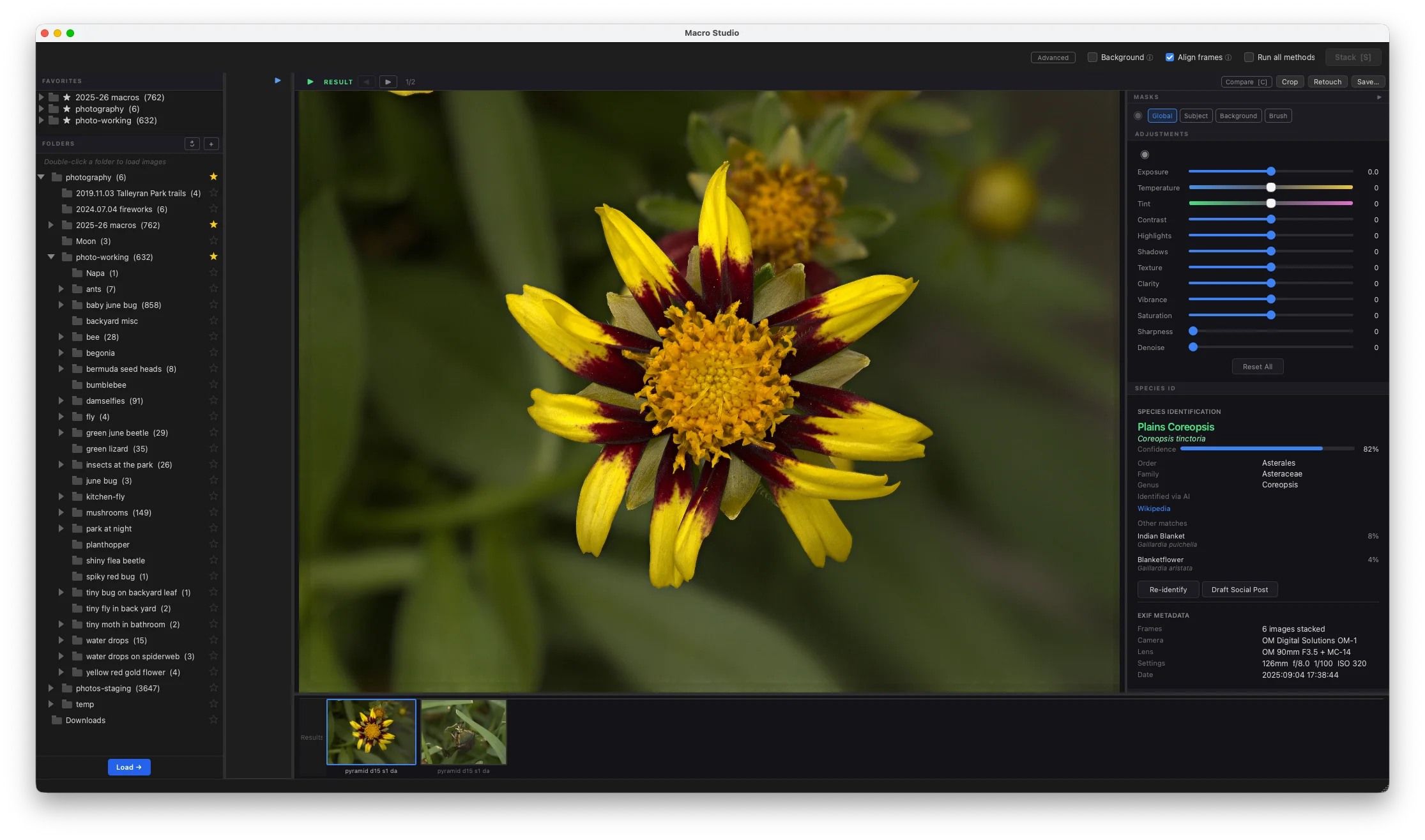
Focus stacking and full non-destructive editing, in one app. Stack, mask, retouch, and save — no monthly Lightroom subscription required.
Launch pricing ends October 16
30-day money-back guarantee
Who this is for
- ✓ You shoot macro (insects/spiders, flowers, fungi, textures) and want every detail sharp.
- ✓ You’re tired of bouncing between editing apps and stacking apps.
- ✓ You want professional stacking results without a steep learning curve.
- ✓ You don’t want another monthly subscription.
Smart Focus Stacking
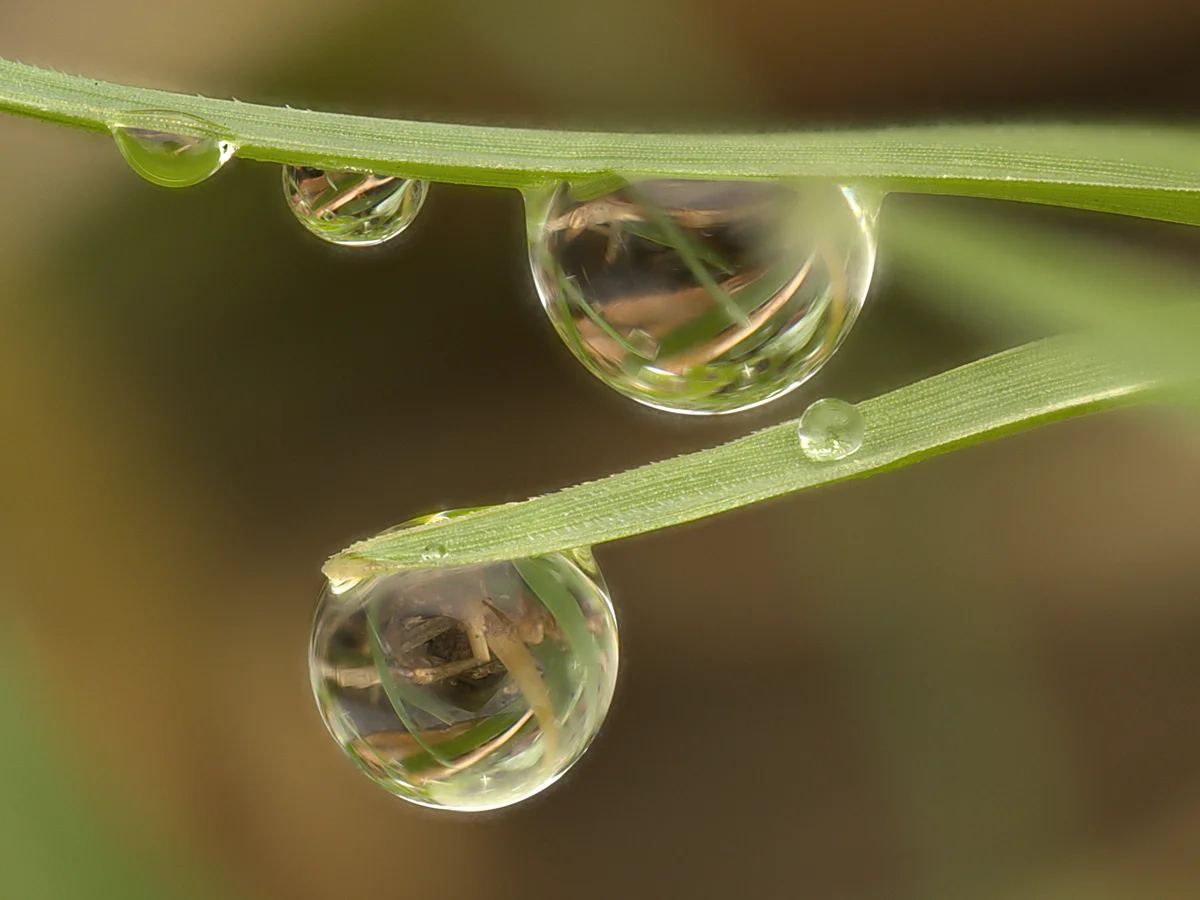
Macro Studio analyzes every pixel in your focus bracket to identify the sharpest regions, then combines them into one image where every detail is in perfect focus — from the nearest antenna tip to the farthest wing edge.
- ✓ Unified stacking engine — more detail and cleaner backgrounds on every subject
- ✓ One-click stacking with automatic settings
- ✓ Works with RAW, TIFF, JPEG, and PNG inputs

Stack, Mask, and Edit — All in One App
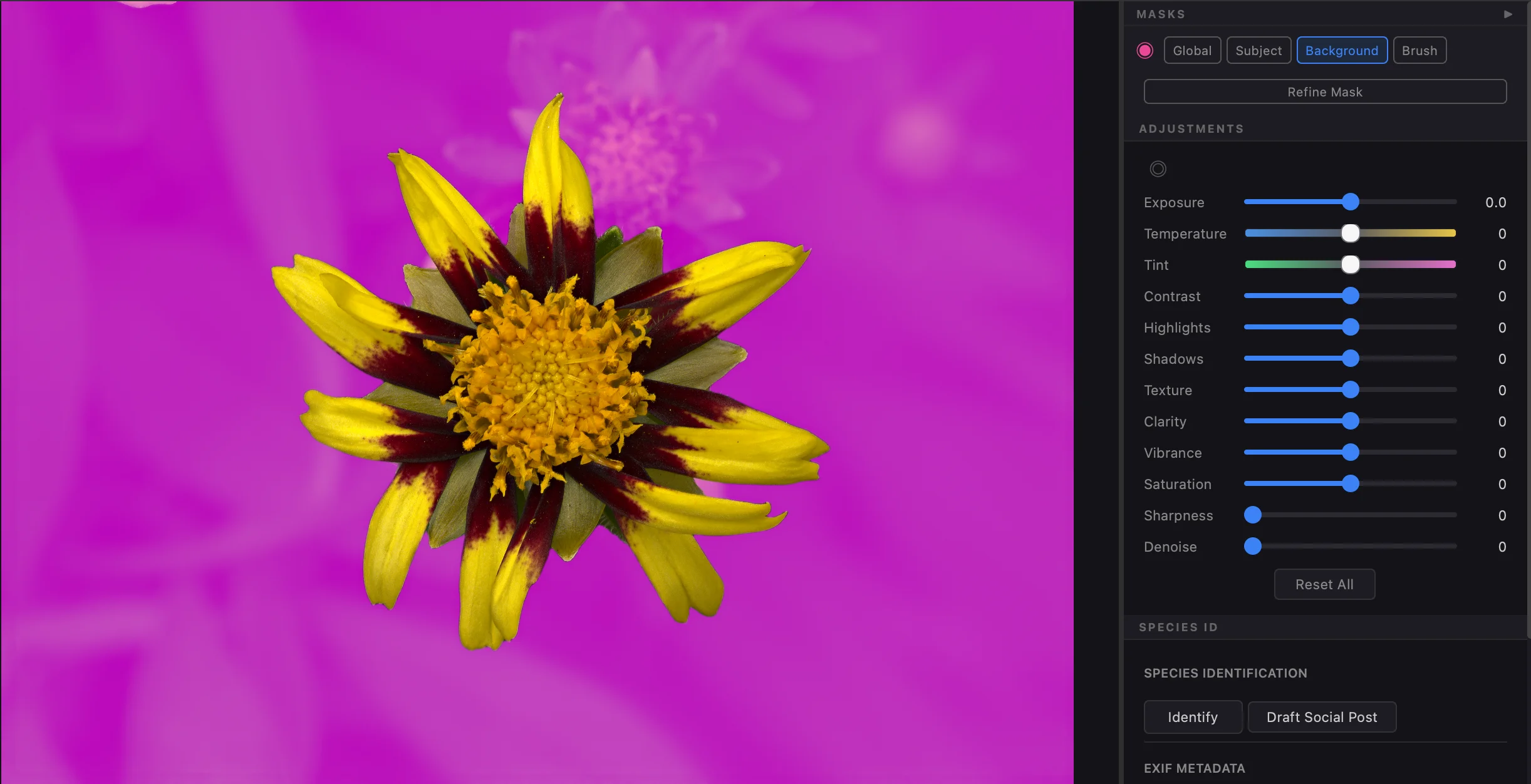
Skip the round-trip to Lightroom. Macro Studio ships with AI-assisted subject masking and a full adjustment suite, so you can finish your image and head straight to export or social post without leaving the app.
- ✓ AI-assisted masks: Subject, Background, Radial Gradient, Linear Gradient, and Brush
- ✓ Exposure, colour, contrast, clarity, sharpness, and denoise
- ✓ Non-destructive — save as JPEG, TIFF, or DNG: one you can reopen and keep editing, or a raw file for Lightroom and other editors
The good thing is I no longer have to fix a lot when I edit my photos in Lightroom. Really helps a lot.
The Most Powerful Retouch Tools Around
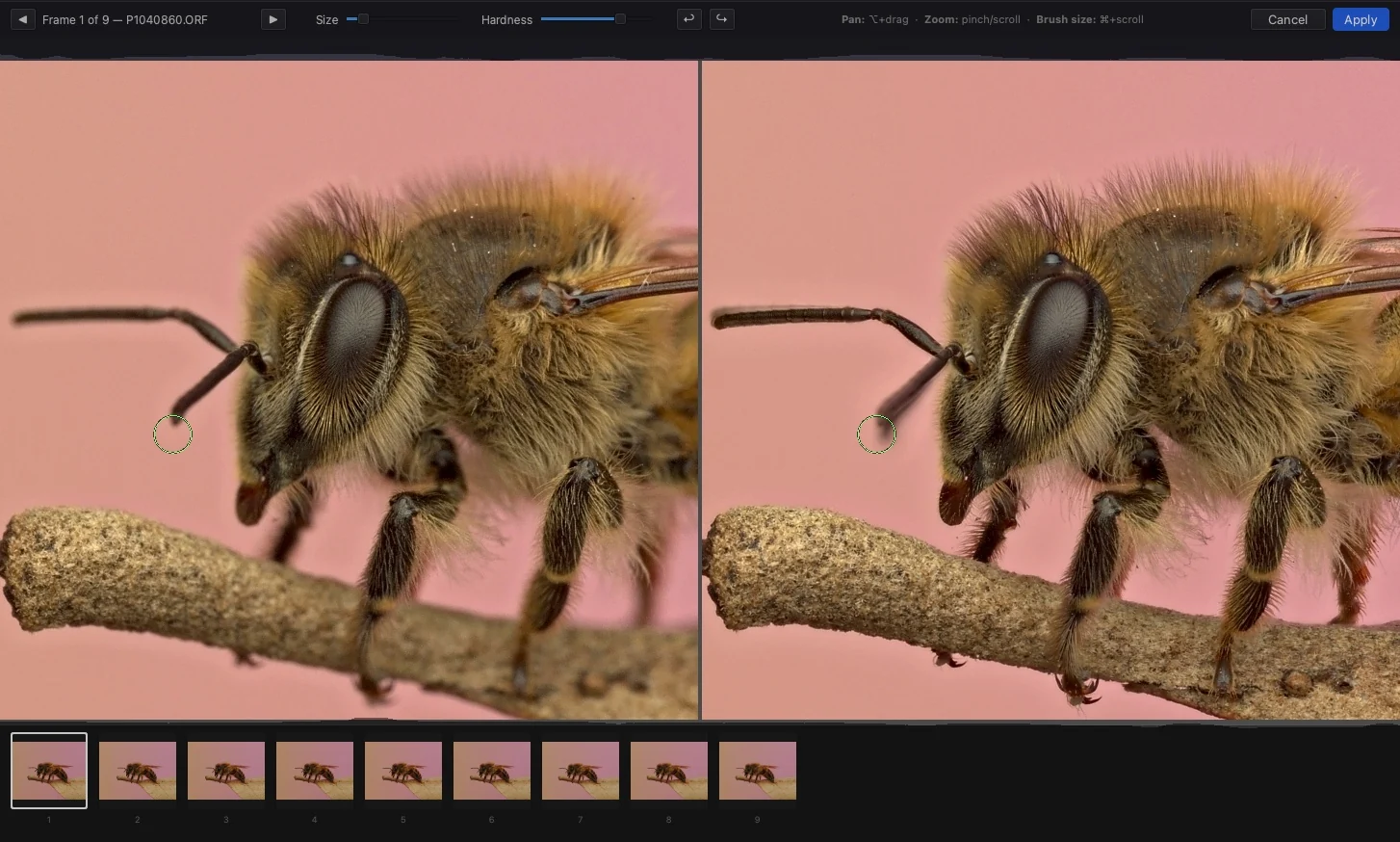
Insects move a leg or antenna mid-stack, and sometimes no single frame has a feature sharp from end to end. Retouch fixes both. Paint a part straight in from the source frame where it was sharpest, or stack a few frames into a mini-slab on the spot and paint from that.
- ✓ Paint on the Subject or the Background: the AI subject mask keeps the subject safe while you clean up halos around it, or brings in a sharper part without its background
- ✓ On-demand mini-slabs: select a few frames and Macro Studio stacks them for you, lined up exactly with your image
- ✓ Clone from any aligned source frame, or from another stack in your session
- ✓ Great for antennae, hairs, bristles, and legs
StackCheck — Catch the Frames That Hurt Your Stack
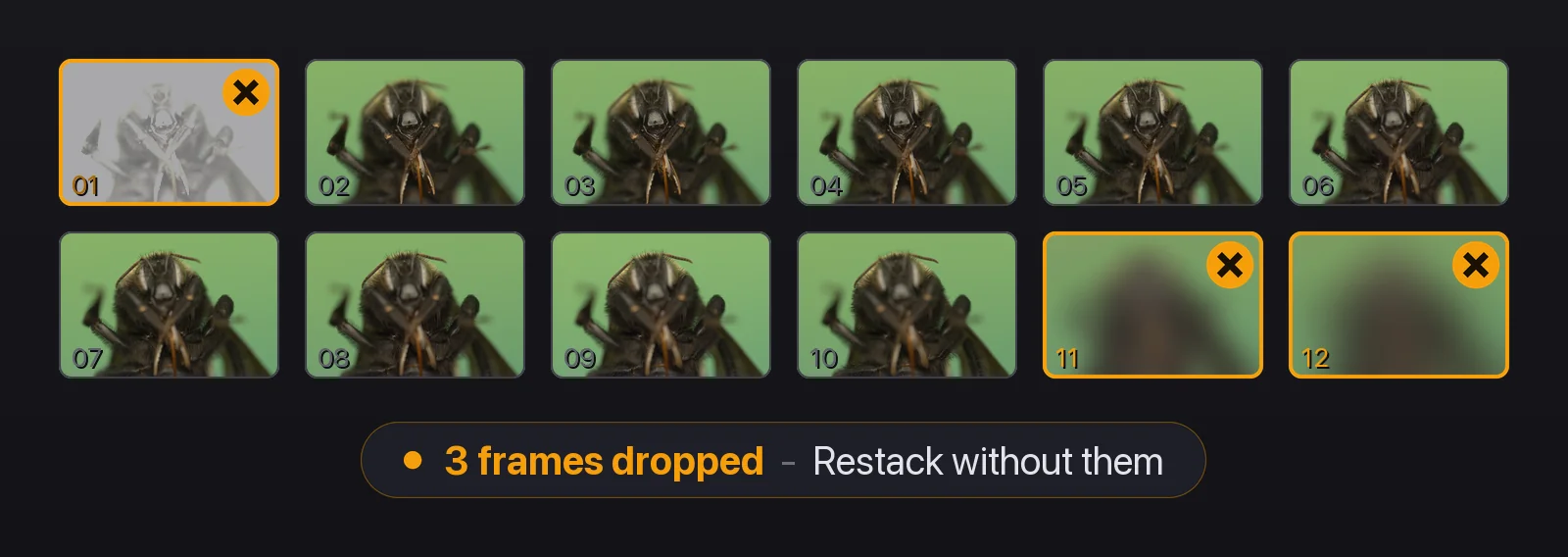
Some stacks have a few frames that don’t belong (flash misfire, a run of empty frames past the last focus point, a frame with excessive movement). StackCheck analyzes your stack, tells you which frames to drop, and offers a one-click restack without them.
- ✓ Flags misfires, frames with excessive movement, and runs of unused frames at either end of the bracket
- ✓ One click to restack without them. Your original stack stays in your history
- ✓ Works on stacks already on disk, including Autostack results, and never touches your source files
StackScore: See How Well Each Stack Was Shot
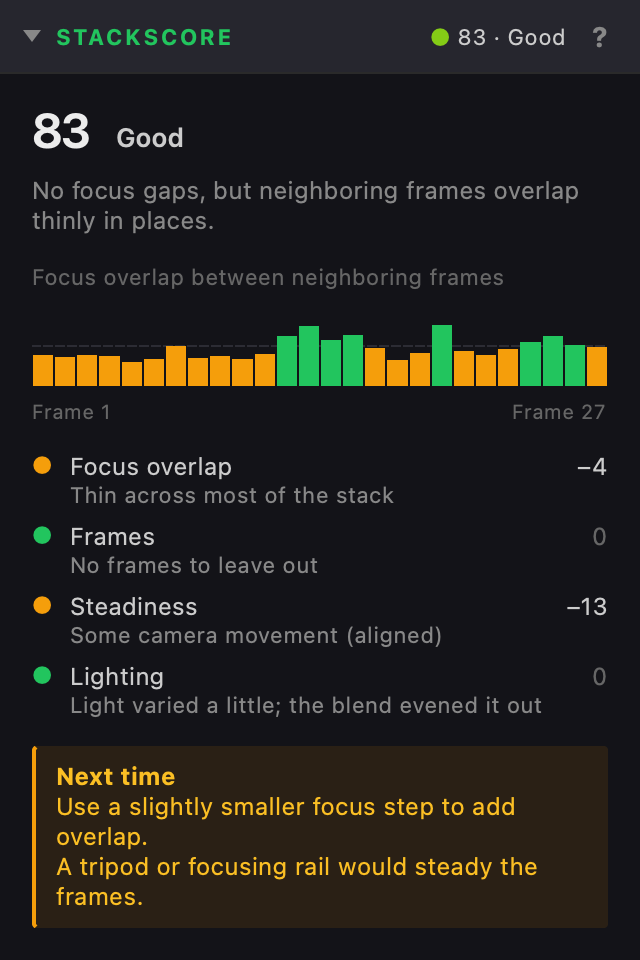
Every stack gets a score from 0 to 100. StackScore checks whether neighboring frames overlap enough in focus, how steady the camera was, and how even the light stayed, then tells you what to change on your next shoot.
- ✓ A focus overlap chart shows exactly where frames are too far apart: the gaps that leave soft bands in the result
- ✓ Every point lost is explained, with a tip for next time, like a smaller focus step or a tripod
- ✓ Grades the capture, not the photo, so a soft lens or a dull subject never costs points
- ✓ Saved with the stack, so it shows in the Library beside the star rating too
Autostack — Stack a Whole Folder at Once
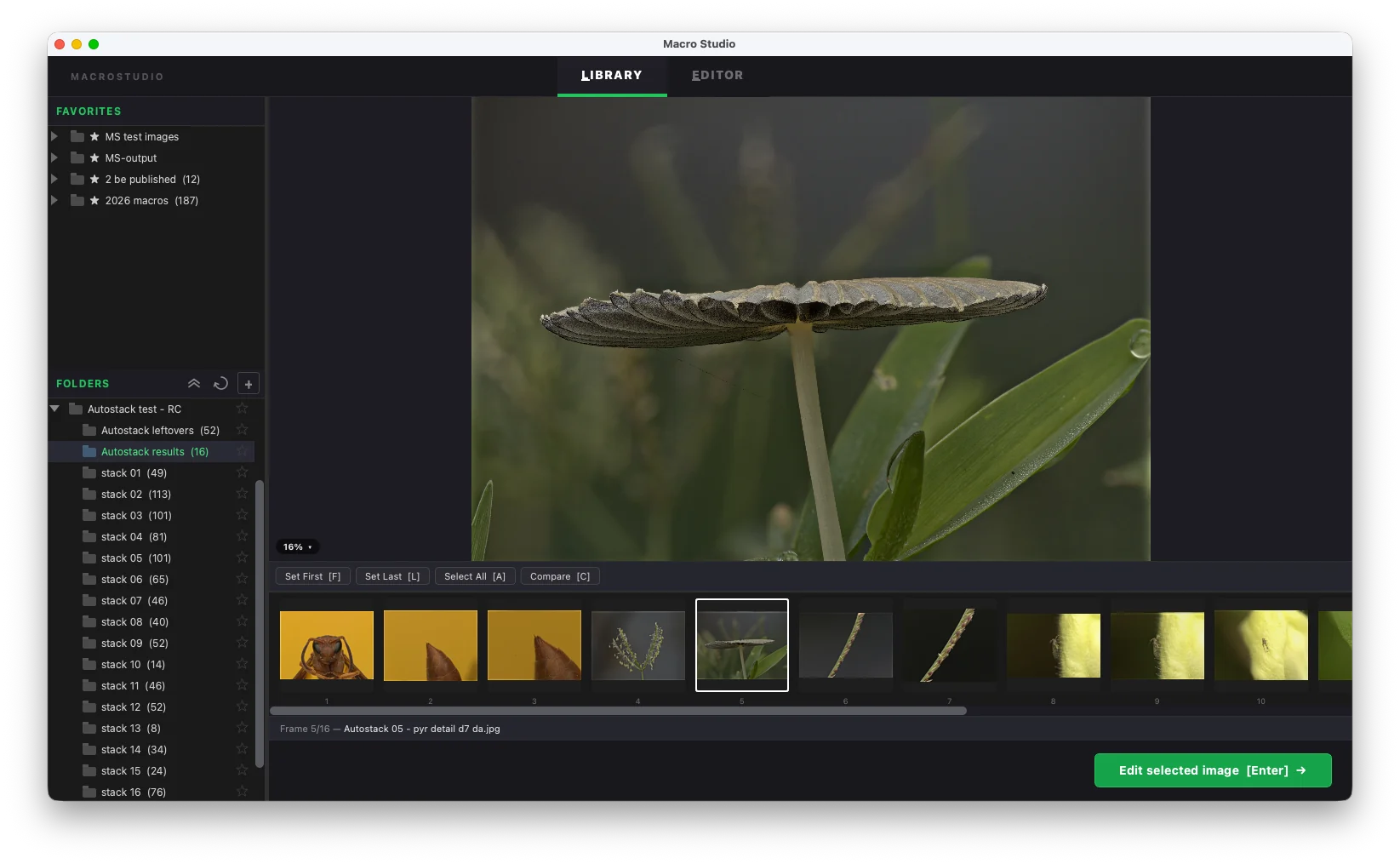
Back from a shoot with a card full of brackets? Point Autostack at the folder and Macro Studio sorts your shots into separate stacks by capture time, then stacks each one for you — turning a pile of frames into a set of finished previews while you step away. Turn auto-restack on and StackCheck fixes the bad brackets for you while the batch runs.
- ✓ Groups a folder of mixed brackets into separate stacks automatically
- ✓ Stacks every set at full resolution, hands-free
- ✓ Sorts the results into tidy per-stack folders so the keepers are easy to spot
Automatic Alignment
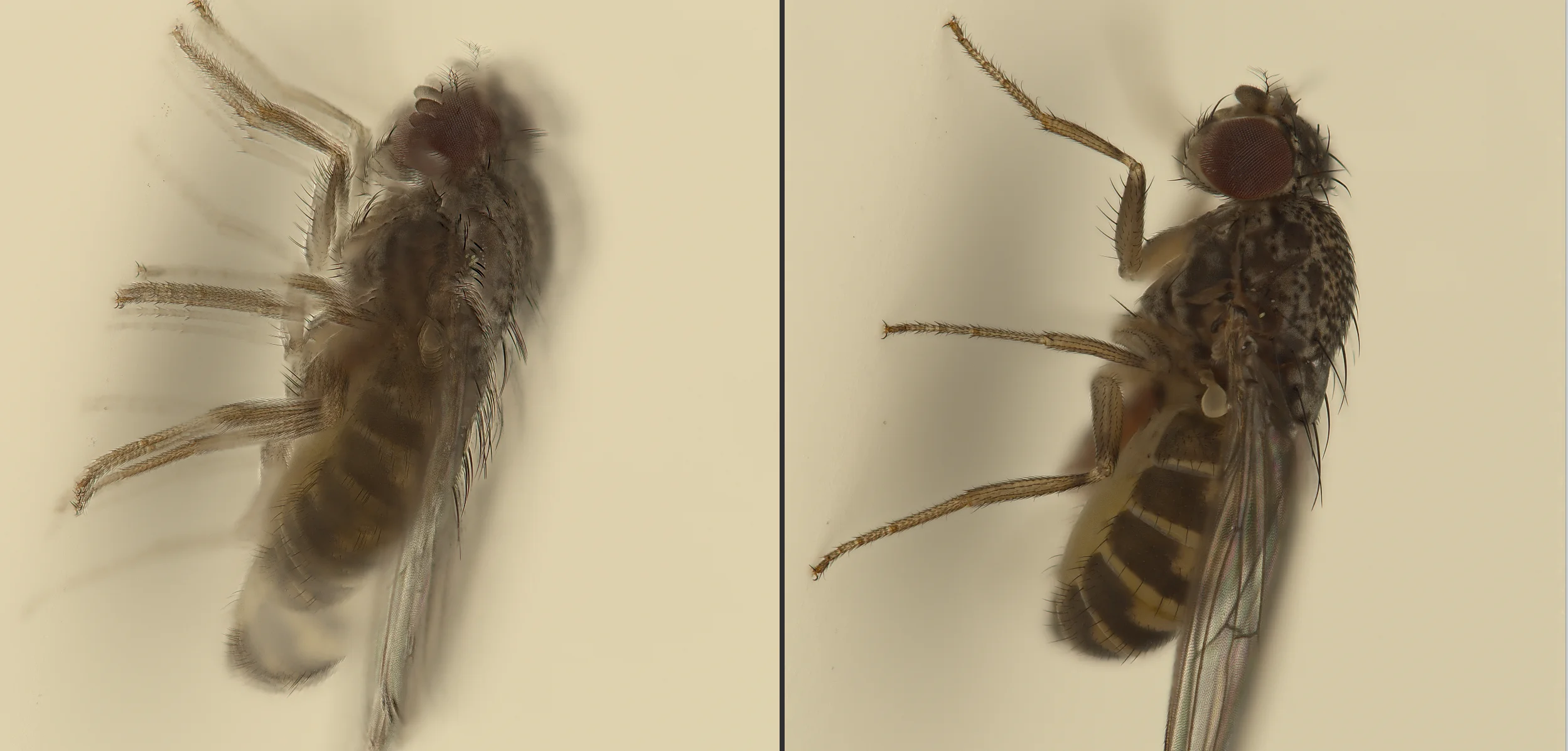
Changing focus changes magnification. Macro Studio detects and corrects for focus breathing, camera movement, and vibration so your frames line up perfectly before stacking.
- ✓ Pixel-perfect alignment — even handheld stacks come out crisp
- ✓ Corrects scale, rotation, and translation
- ✓ Runs automatically before every stack — nothing to set up
I can actually hand hold my subjects, and it just stacks them beautifully!
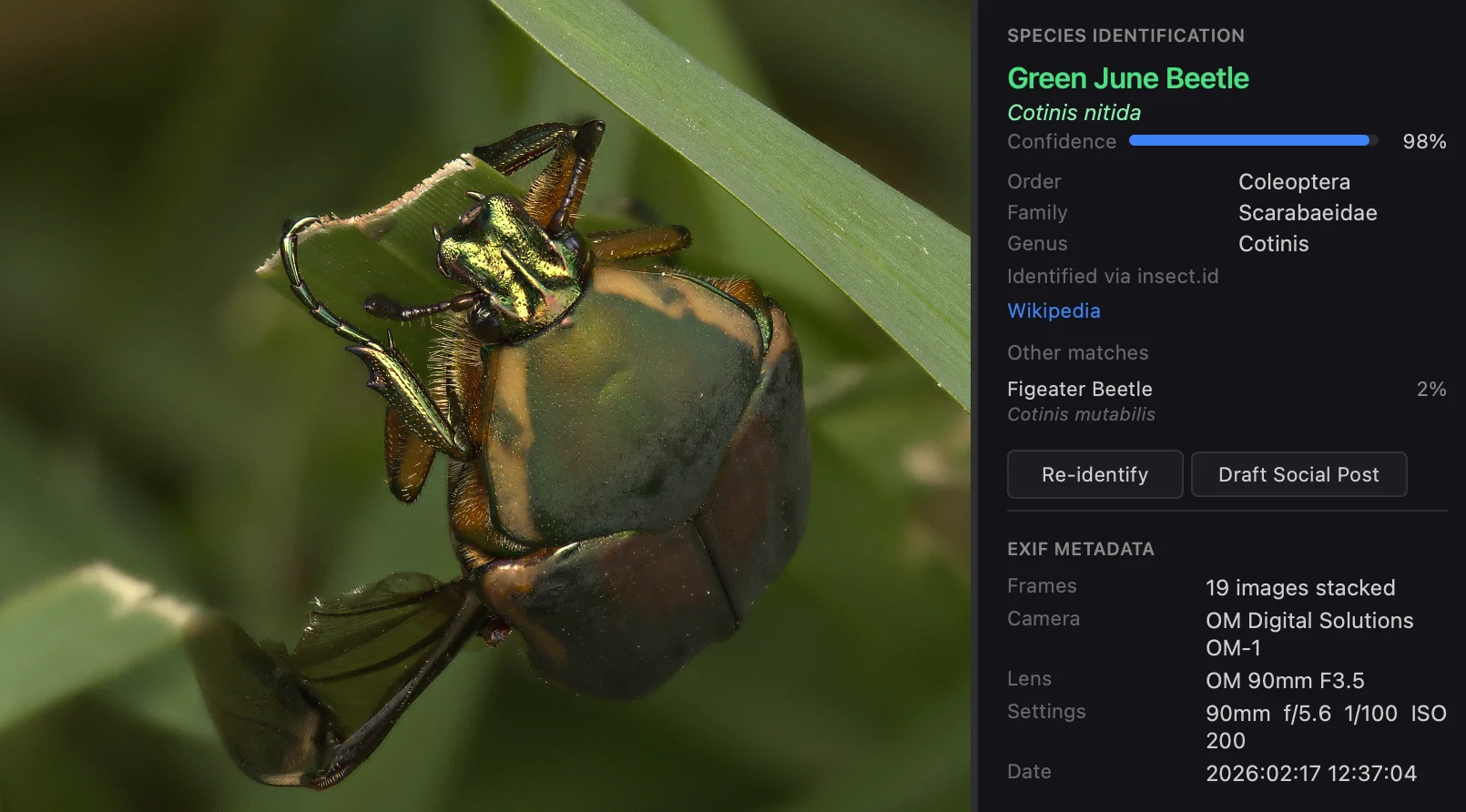
Species Identification
Macro Studio names what you shot — beetles, bees, flowers, mushrooms, ferns — along with its scientific name, taxonomy, and a confidence score. A Wikipedia link is one click away for when you want to read more.
- ✓ Works on insects/spiders, plants, and fungi
- ✓ Confidence score plus top alternative matches
- ✓ Wikipedia link built in
Spot Correct Without Leaving the App
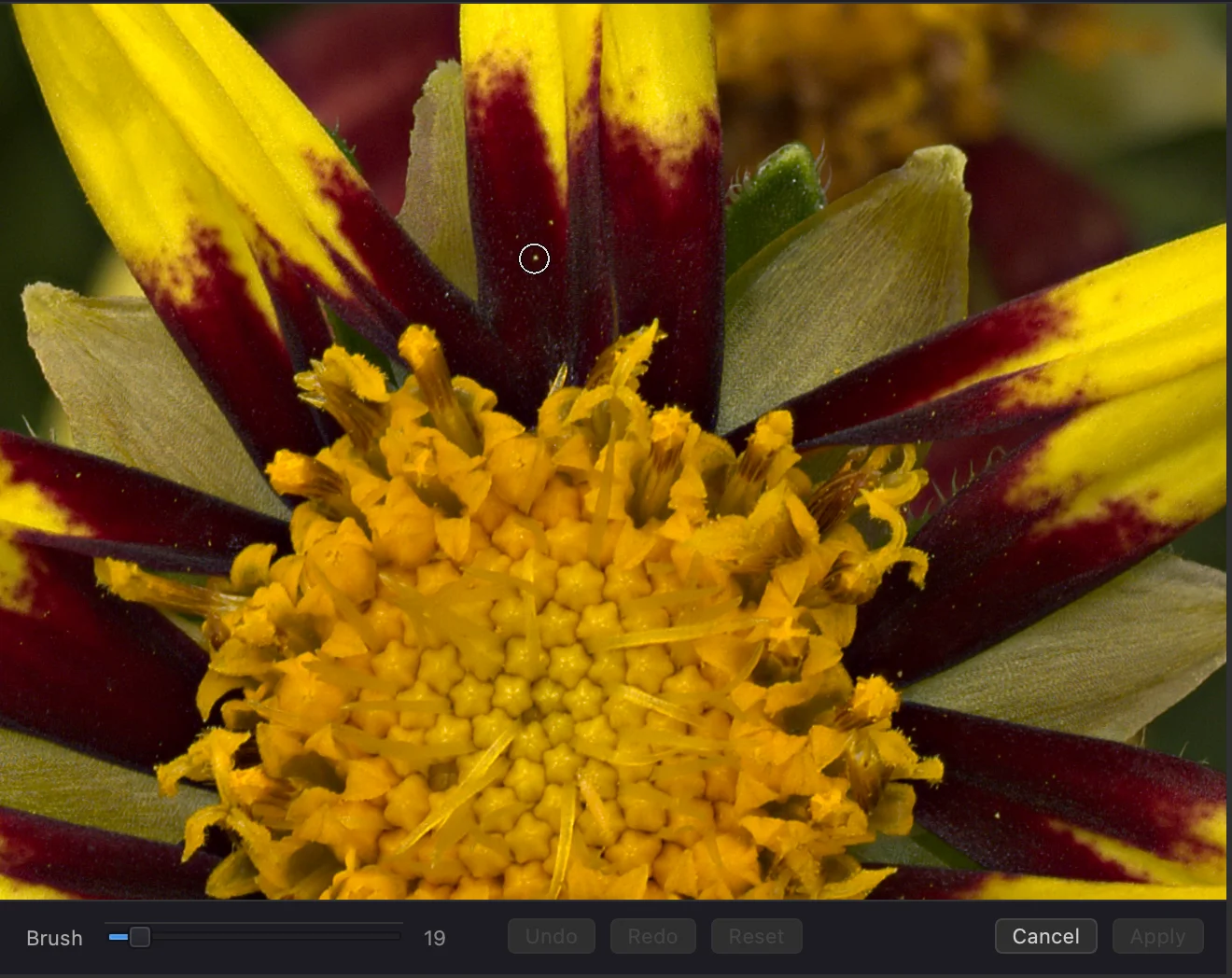
Dust on the lens? A stray hair on a flower petal? Paint over anything that shouldn't be there and Macro Studio samples from nearby pixels to blend the fix in seamlessly. Non-destructive — every stroke is reversible.
- ✓ Content-aware patching from surrounding context
- ✓ Full per-stroke undo / redo
- ✓ Never touches your originals — saved files carry the fix, source frames stay untouched
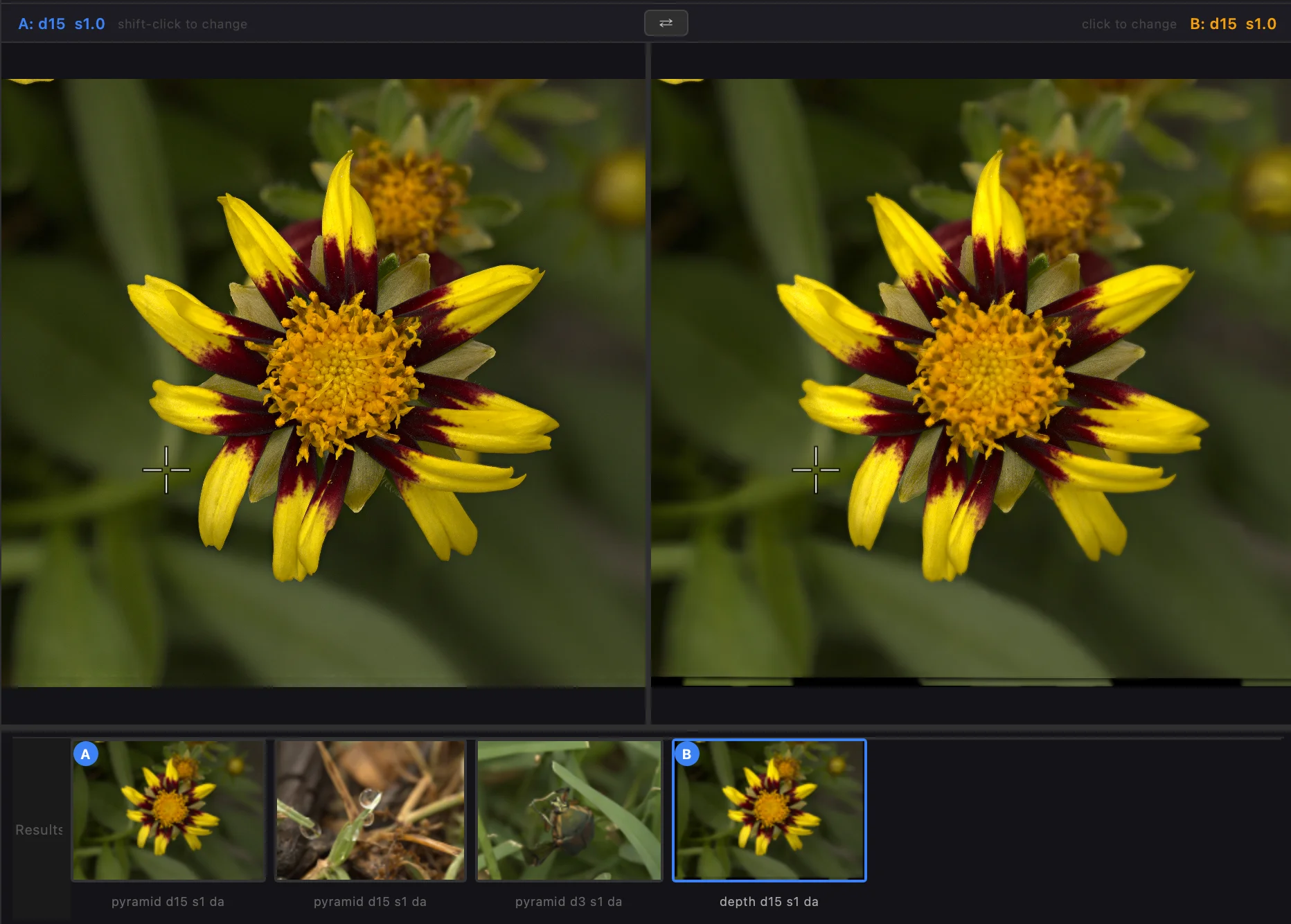
Compare — Before vs. After at a Glance
Slide between your stack input and the final composite to confirm your edits actually improved things. Zoom and pan stay in lockstep, so both sides always show the same region of the image.
- ✓ Synced zoom and pan, with the option to unlock when needed
- ✓ One-keypress toggle (C) so it's always at hand
Crop and Straighten
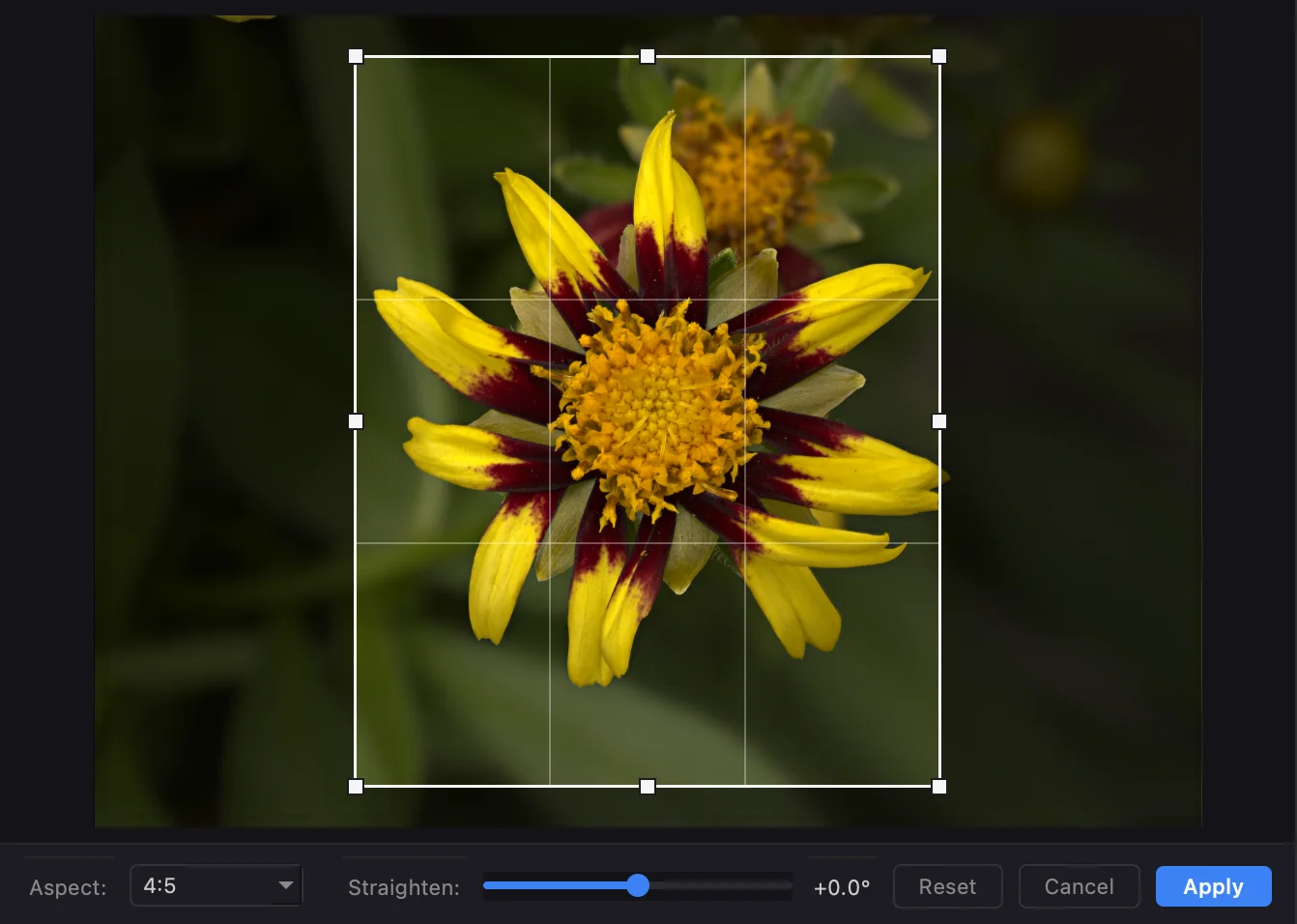
Every stacked image gets a proper crop tool with rule-of-thirds grid, straightening controls, and keyboard nudges. Level a tilted horizon, tighten the composition, or pull a 1:1 social crop out of a landscape shot — all without leaving the app.
- ✓ Rule-of-thirds grid, free and constrained aspect ratios
- ✓ Straighten slider, or drag to rotate
- ✓ Non-destructive — reopen the crop any time to adjust
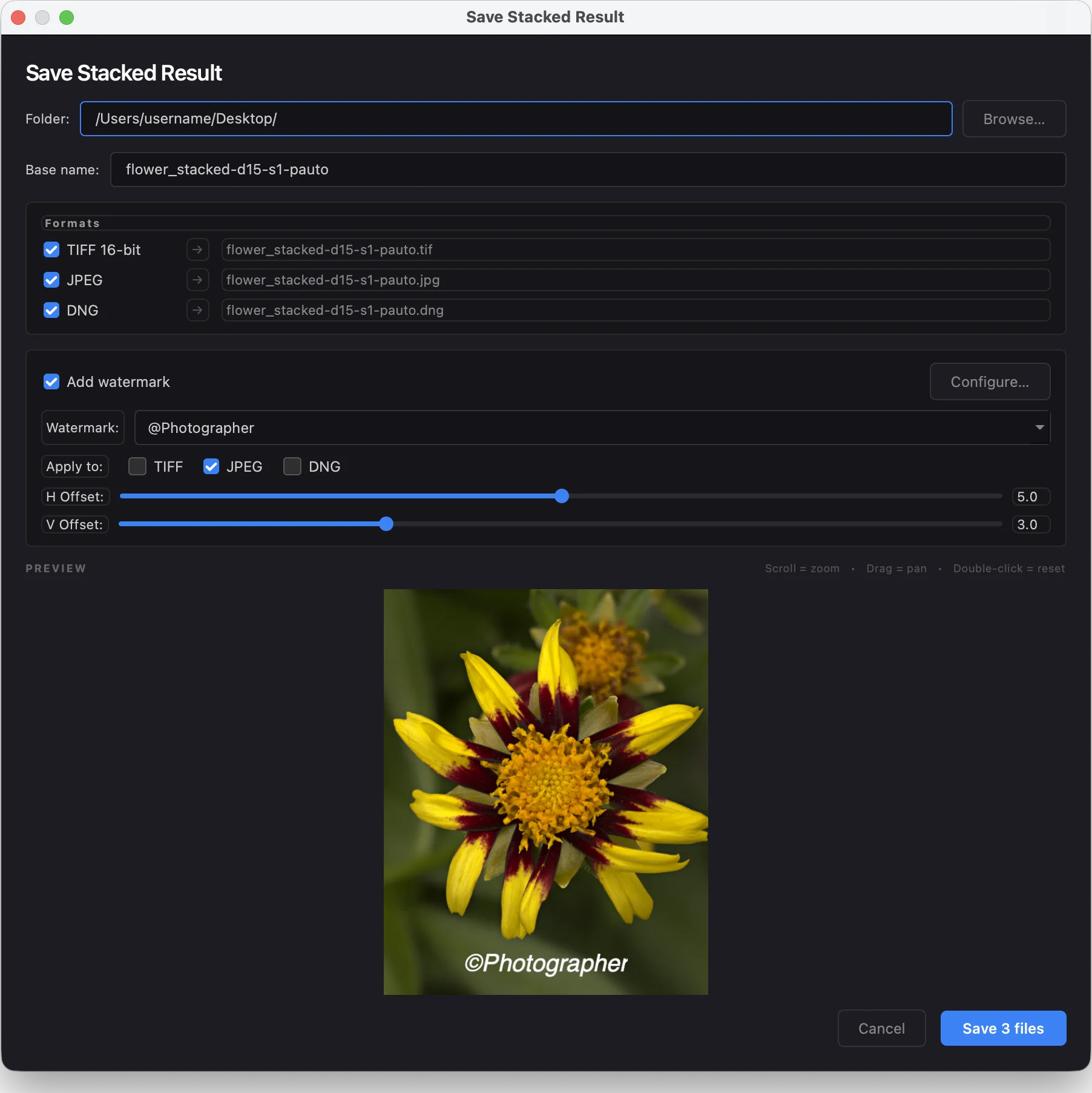
Brand Your Work — Built-in Watermarks
Apply your logo or text watermark at save time. Configure position, size, and opacity once, then reuse across every save. Watermark the JPEG for social, skip it on the TIFF master — all in one Save dialog.
- ✓ PNG logo or text, any corner or center
- ✓ Position, scale, and opacity controls
- ✓ Applied per-format — watermark your JPEG, keep the DNG clean for Lightroom
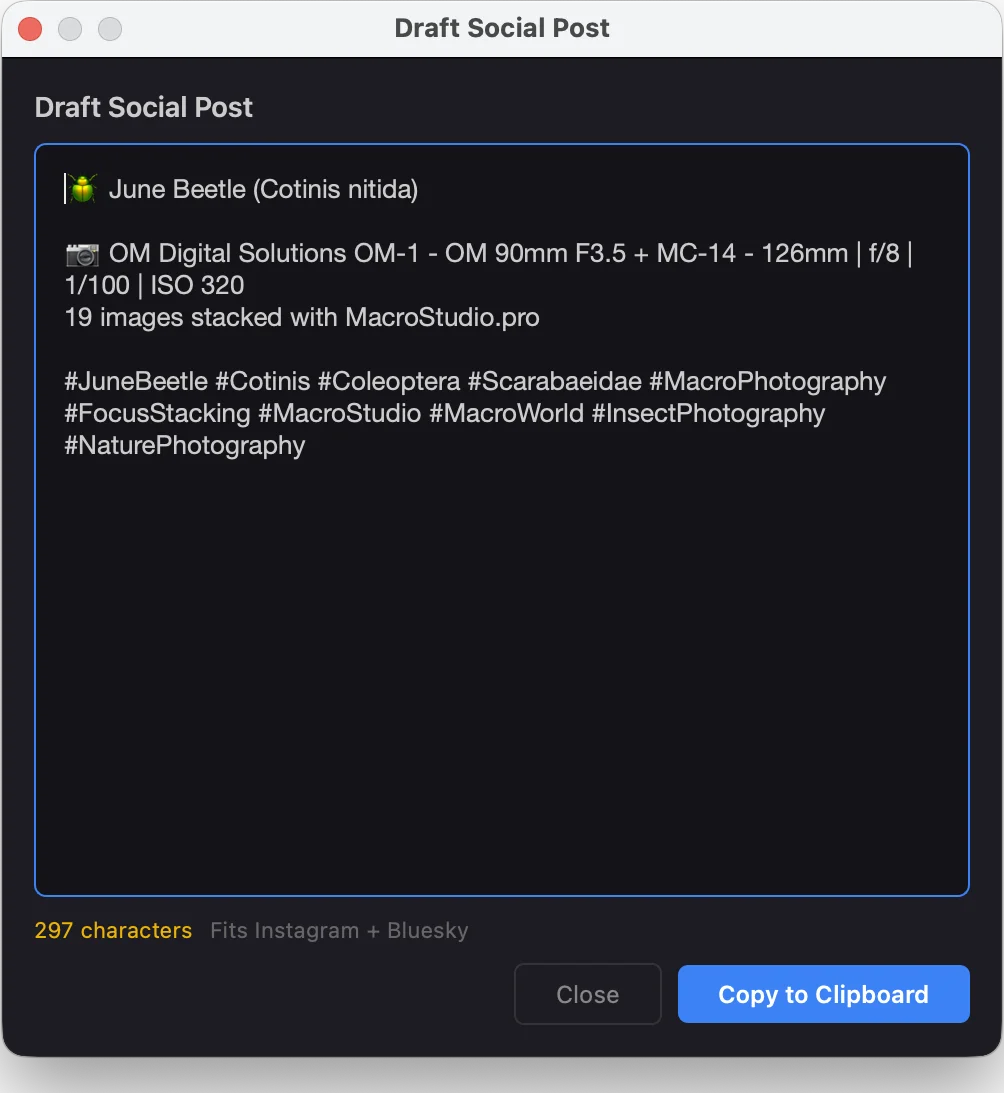
Draft Your Social Post in One Click
Once you've stacked and edited a shot, Macro Studio drafts a social post for you — caption, hashtags, species name, shoot info pulled from EXIF — ready to paste into Instagram, X, or wherever you share.
- ✓ Auto-fills species, camera, lens, and settings from EXIF
- ✓ Copy-paste-ready caption and hashtag block
- ✓ Pairs naturally with the watermark + JPEG export for easy sharing
Speaks Your Language
Macro Studio’s interface is available in English, German, French, Dutch, Italian, Spanish, Russian, Ukrainian, Vietnamese, and Filipino. It follows your system language automatically, or you can pick one in Preferences.
- ✓ Follows your system language out of the box — no setup needed
- ✓ Menus, dialogs, and stacking progress messages — all translated
- ✓ Don’t see your language? Let us know and we’ll add it!
Works with the tools you already use
Send a bracket from your editor and get a raw DNG back that develops like the camera shot it.
Adobe Lightroom Classic
Export → Macro Studio from Lightroom. Results come back into your catalog automatically.
How it worksAdobe Bridge
Right-click a bracket → Stack in Macro Studio. Originals are sent untouched.
How it worksCapture One
Scripts → Stack in Macro Studio, as RAW or as TIFFs with your edits. Results come back into your catalog or session. Mac only.
How it worksON1 Photo RAW
Send to → Send to Other Application. Nothing to install.
How it worksDxO PhotoLab
Run DeepPRIME on every frame first, then Export to → Application to stack. Get a raw DNG back.
How it worksWhat photographers are saying
Loved by macro photographers around the world
Thank you for making Macro Studio. I’ve found so far that it is able to handle macro stacks that Helicon utterly falls apart on, which is great. I’m also glad to see that it does a much better job of handling overlapping elements than Capture One. Kudos!
Macro Studio for photo stacking kicked Zerene Stacker’s teeth in. I can actually hand hold my subjects, and it just stacks them beautifully! And the support he offers is unmatched!
The output of this program is way better and much cheaper than other commercialized apps on the market. Really worth a try — and it never fails me on my first try.
Ready to see the difference?
Get Macro Studio 2026. One-time purchase, 30-day money-back guarantee.